Service
We take in the content of the work, check the weather against it on our server, and return the result in three forms.
1. Tell us
When, where and what you will do
- Work conditions (choose from the standard ones; the numbers can be changed)
- Places (the building to be inspected, the stops of an itinerary)
- Itineraries (places and times). Documents such as an itinerary can be handed over as they are
- Working hours and departure times
2. Check
PersonalCast
Research result
Data held inside
- Forecast data from around the world (JMA, ECMWF, NOAA)
- Weather variables from the ground to the upper air
- Building and terrain data
- Position of the sun and shadows
On the server, for each place and time, by fixed calculations and rules.
3. Return
Returned in three forms
Calendar of candidate days
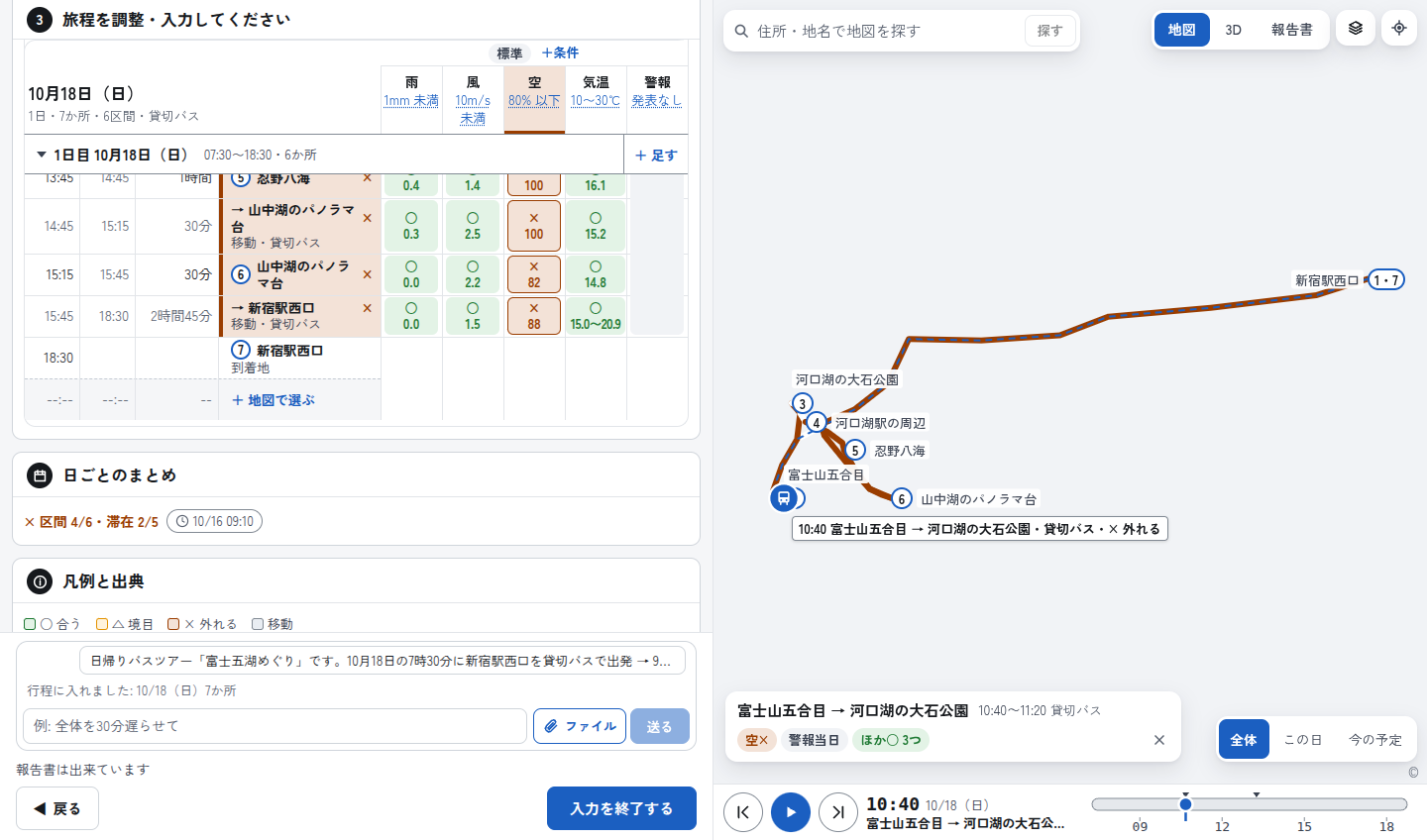
A day-by-day result for 14 days (○ for a day with a continuous stretch of recommended hours, × for a day without, ? for a day that cannot be checked, and so on), and a time-by-time grid for the chosen day, with the criteria and the source of the values. The recommended hours are the result of checking forecasts published by the Japan Meteorological Agency and others against the conditions you set (they are not a forecast).
3D and map
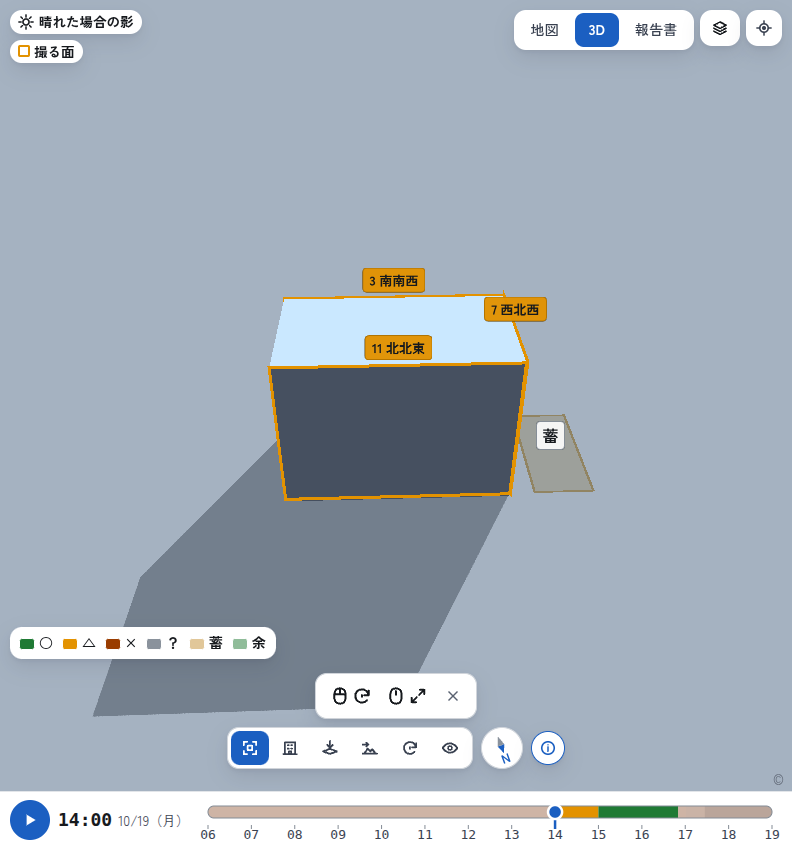
See the results of the checks laid over buildings, terrain and the position of the sun, so people on site can see them.
Report (A4, PDF)
The conditions and values, a summary of the result and the source of the values, in a three-page A4 inspection report. It is material for explaining to clients and for keeping a record. For trips and tours, it makes a one-sheet report for guides with the itinerary, a packing list and what to prepare for each time slot.
We do not hand you a forecast. We hand you the answer for your site.
See the real screens
The travel and tour itinerary screen, and the infrared wall inspection screens (a 14-day calendar, 3D and a report).
Go to the screens