

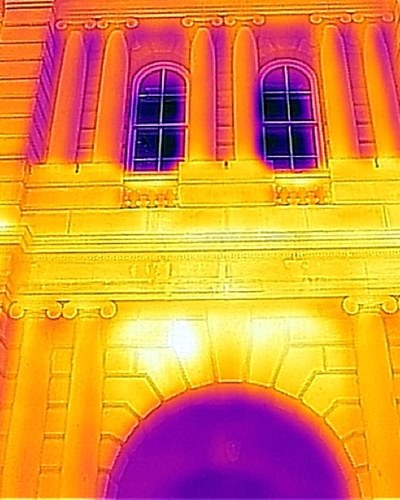
For those who inspect walls with infrared
We line up the days that fit your inspection, up to two weeks ahead.
The hours you can shoot differ from wall to wall. We lay published weather values over the sunlight on each wall and the shadows of nearby buildings, and return the days and times that fit.
Demo version on trial with several partner companies
Who this is for
- Inspection and diagnosis companies that examine building walls with infrared
- Companies that inspect walls for the periodic reports required under Article 12 of the Building Standards Act
- Whether you inspect by drone or from the ground (tripod, aerial work platform, gondola, rope access, scaffolding)
Does any of this sound familiar?
Comparing forecasts again and again to pick a day
Sunlight, temperature difference, wind, rain the day before: you set the schedule by comparing several screens.
Each wall has its own hours
Even on a clear day, the east wall is lit in the morning and the west wall in the afternoon. Shadows of nearby buildings matter too.
Spare days and last-minute checks
You plan spare days, check again just before, and rebuild the plan if the weather turns. It takes a lot of effort.
Writing the weather into the report
The weather on the day, rain the day before, temperature difference and wind are copied into the report by hand. With a drone, wind and rain are checked too.
How it works in PersonalCast
Tell
Choose the building, the walls to inspect, the method (drone or ground) and the working hours.
Check
Published weather values are laid over the sunlight and shadows on each wall, using fixed calculations and rules.
Return
A 14-day calendar from tomorrow, a time grid for each wall, 3D and a map, and a three-page A4 inspection report.
The conditions approximate guideline commentary on building disaster prevention. They are not national standards. The “recommended hours” are the hours in which all the conditions you set are within range (including △ borderline hours). They are not a forecast: they are the result of checking forecasts published by the Japan Meteorological Agency and others against the conditions you set.
Time of day (the figure is an hourly illustration)
- Recommended
- Borderline
- Outside
East walls fit in the morning, south walls around noon, west walls in the afternoon, and north walls get no direct sun.
Illustration of the screen. Numbers and names are for explanation only and are not real data.
Real screens
A 14-day calendar, each wall's day, and 3D
The screens are examples from the version under development. Locations, dates and numbers are for testing and are not results of any real inspection or trip.
See the real screensWe look forward to hearing about your infrared inspection work
Tell us by e-mail what is hard right now and what your conditions are. You can also ask about trying the demo version here.
Contact by e-mail